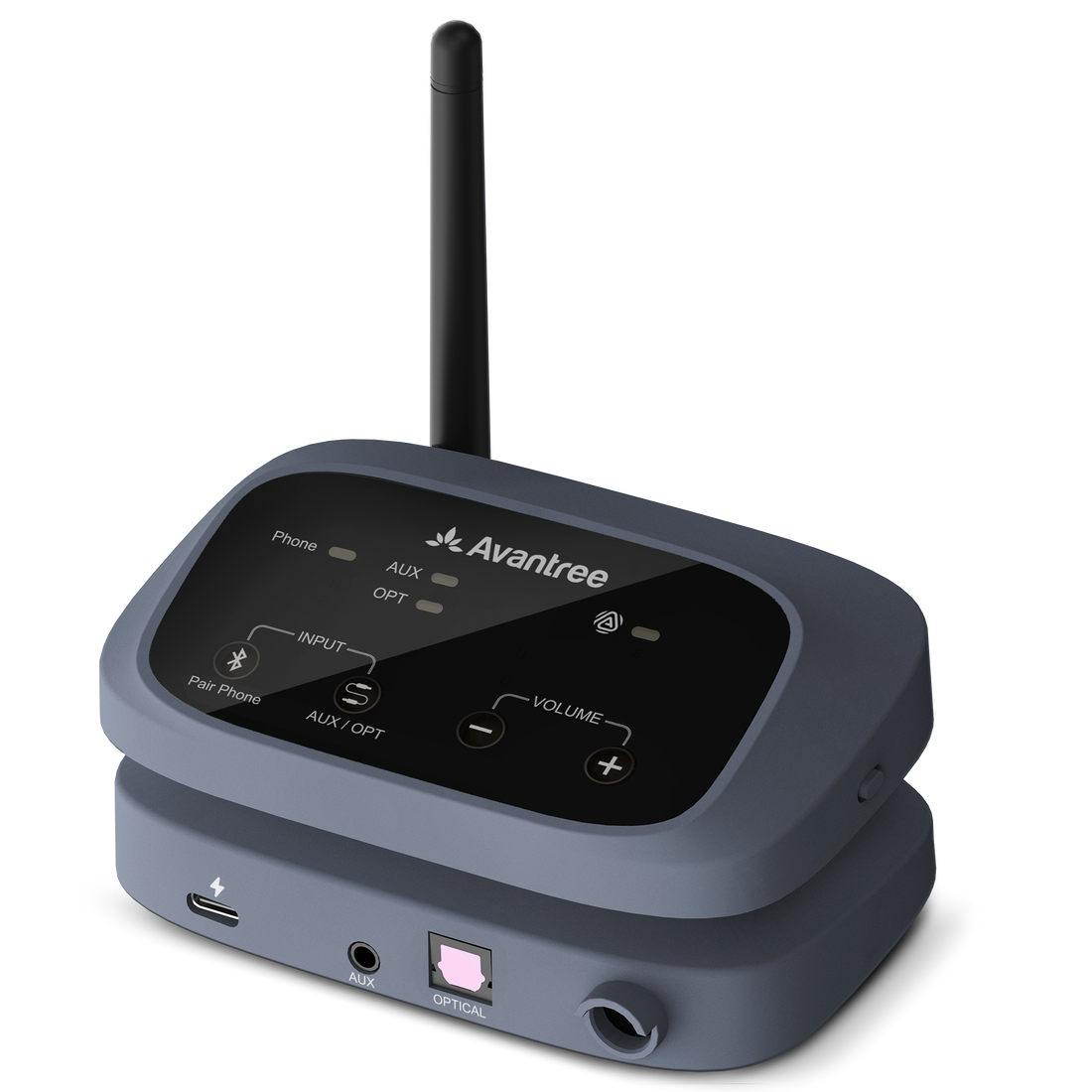
Oasis Aura

Auracast Transmitter for Small Venues

Share audio from your TV, mixer or PA with compatible Auracast listening devices.

€129,99
Ask a Question

Checking the fastest delivery option…

Fast ShippingReliable Delivery
60-Day Free ReturnsHassle-Free
Bulk DiscountVolume Pricing Available
Free Setup SupportVenue Specialist Included
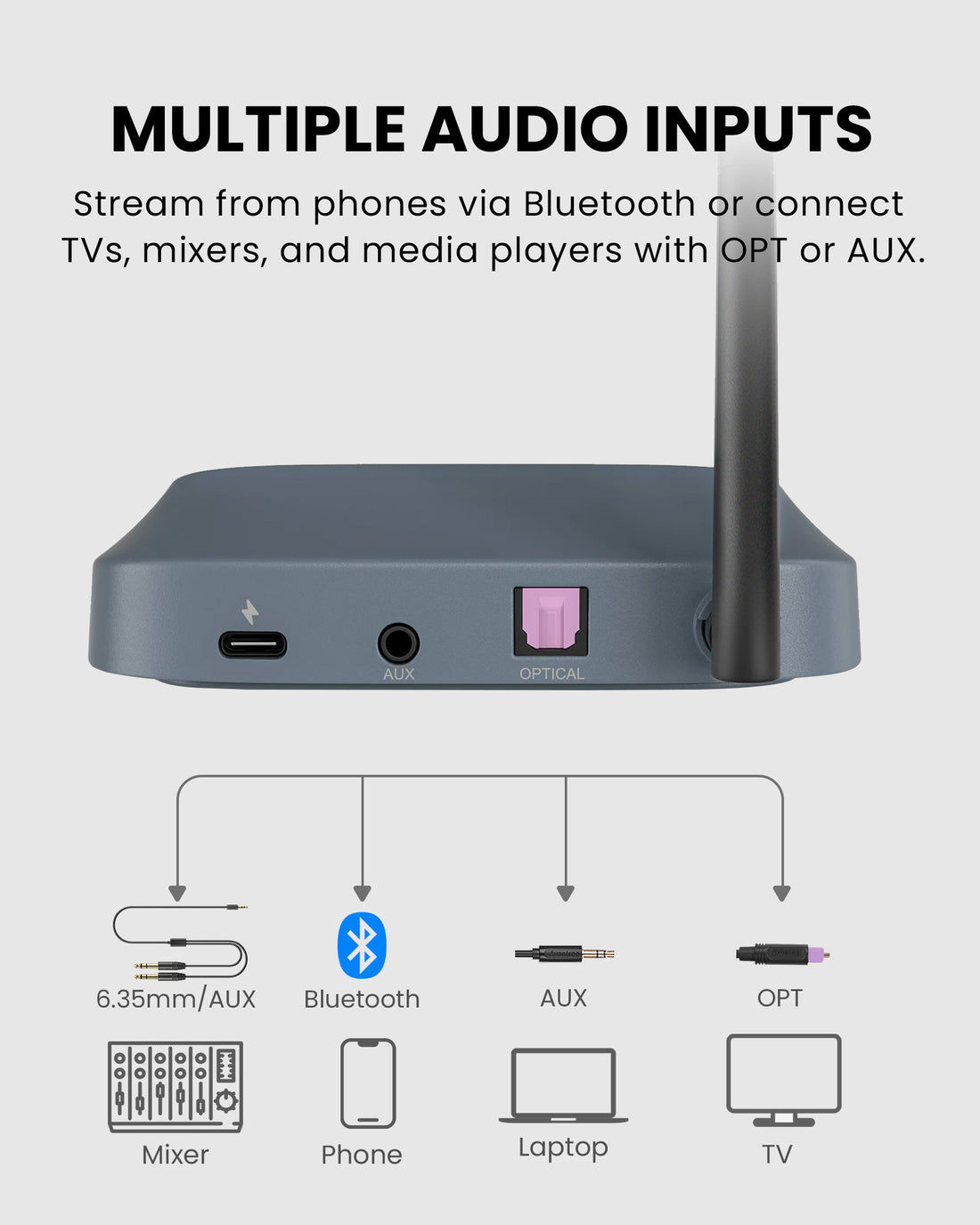
  • Flexible Venue Audio Inputs – Connect Optical, 3.5mm AUX, Bluetooth, or compatible 6.35mm sources with the included adapter cable.
  • High-Fidelity Stereo Broadcasting – Preserves Left and Right audio channels for a natural listening experience with Auracast hearing aids, headphones, receivers, and speakers.
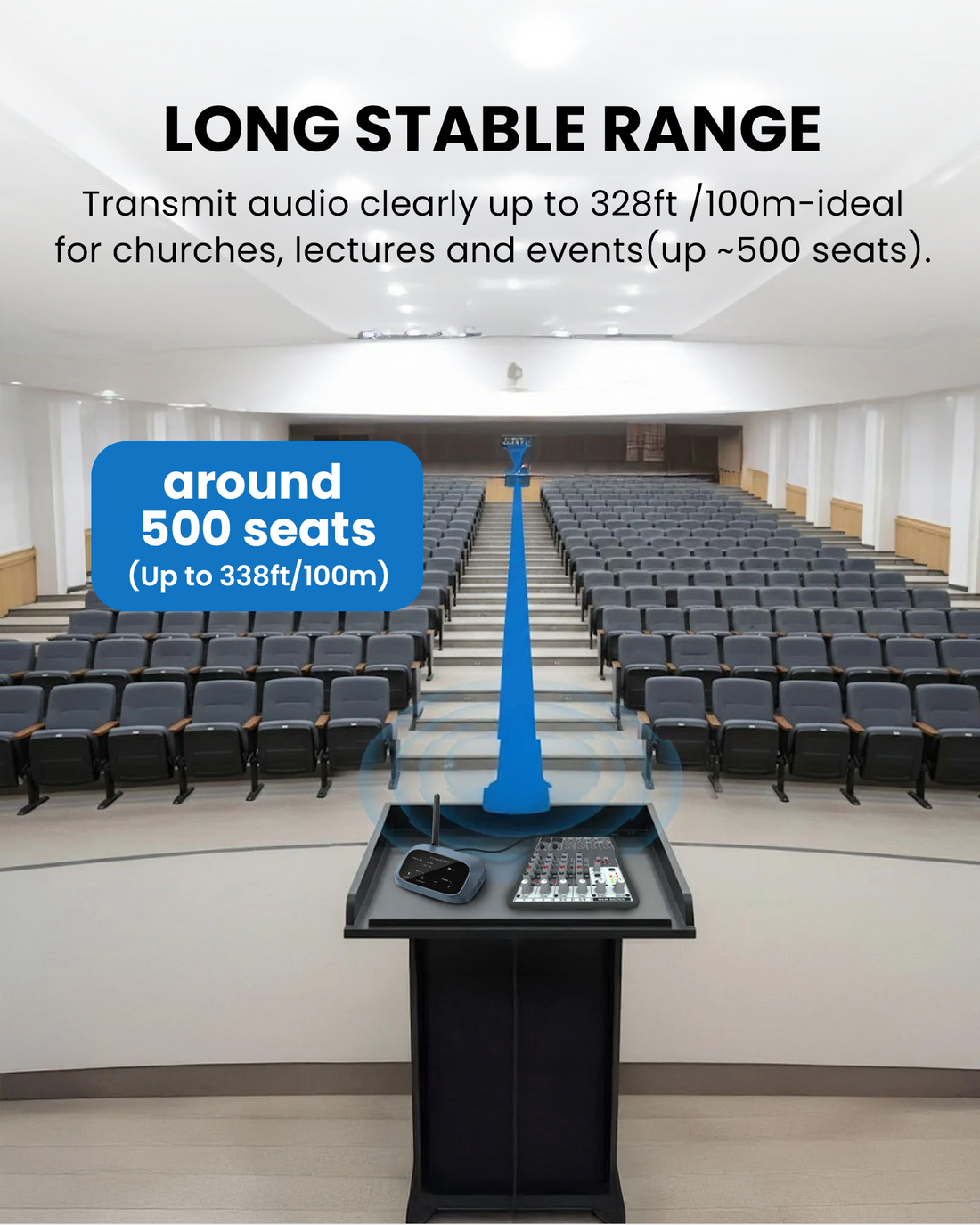
  • Up to 100m Range – Deliver one-to-many audio up to 100m / 328ft under line-of-sight conditions.
  • Easy Shared Listening – Multiple compatible listeners can join without traditional Bluetooth pairing.
  • Broadcast Controls – Configure the broadcast name, password, volume, and supported settings through the update and configuration tool.
  • Compact Venue Setup – Add Auracast to TVs, mixers, PA systems, phones, and computers without replacing the existing audio source.
Oasis Aura €129,99

01 · Best for

Best For

Simple shared listening for churches and smaller spaces

  • Church & WorshipBroadcast sermons, music, and announcements from an existing mixer or PA system to compatible Auracast devices.
  • Classroom & TrainingProvide clear shared speech and program audio for students, attendees, and assisted-listening users.
  • Meeting & ConferenceAdd one-to-many Auracast listening to meeting rooms, presentations, lectures, and community events.
  • Senior & Community VenueSupport accessible listening in senior centers, community rooms, and other small to mid-size venues.

Before buying

Compatibility

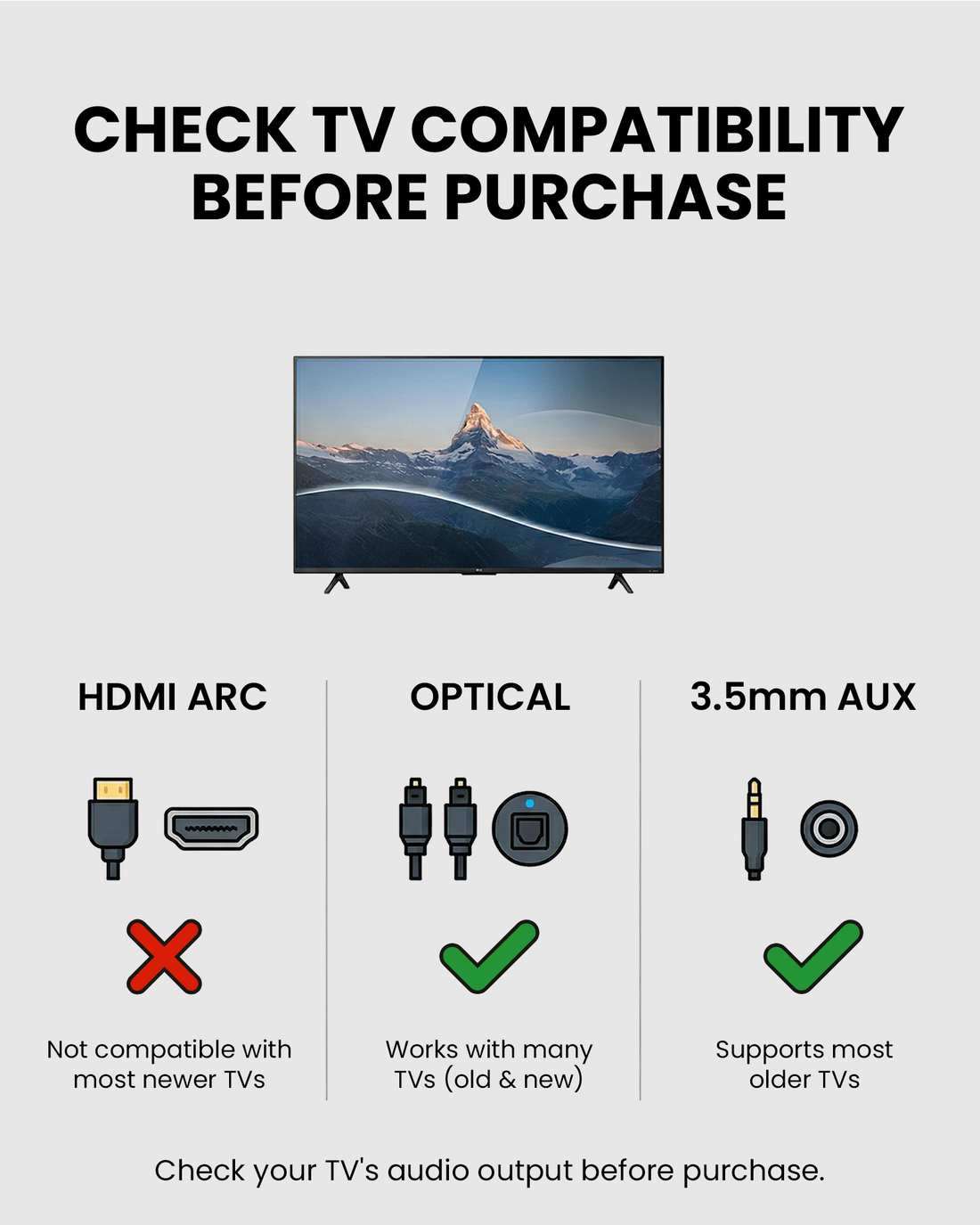
Check the audio source feeding Oasis Aura and how each listener will hear the broadcast.

A. Audio source compatibility

Connect your TV or venue audio

  • Venue mixer or PA system
  • TV or media player
  • Phone, tablet, or computer
Find the right cable

B. Listening device compatibility

Choose a direct or receiver-assisted path

Auracast hearing aids & devices
Connect directly when the hearing aid, earbuds, headphones, receiver or speaker supports Auracast.
T-Coil hearing aids
Use AuraCoil to receive the Auracast broadcast through the hearing aid's T-Coil program.
Wired earbuds & headphones
Use AuraClip as the venue-provided Auracast receiver.
Bluetooth headphones & speakers
Use Aura C with a compatible phone, then select the Bluetooth hearing aid, headphones or speaker as the phone's audio output.
Check Hearing Aid Compatibility
Not sure Oasis Aura is right for your space? Find My Setup

02 · Addons & Accessories

View all add-ons & accessories

03 · Product Details

What's Included

  • 1 x Oasis Aura Transmitter
  • 1 x Dual 6.35mm to 3.5mm Audio Cable
  • 1 x 3.5mm AUX Audio Cable
  • 1 x Optical Audio Cable
  • 1 x USB-C Data & Power Cable
  • 1 x Power Adapter

How It Works

Simple by design

Add Auracast to your existing audio source

Connect Optical, 3.5 mm AUX or Bluetooth audio, power Oasis Aura through USB-C, and let compatible listeners join the broadcast.

  • Optical, AUX or Bluetooth input
  • Uses your existing audio source
  • One-to-many Auracast listening
1
Audio source Connect a TV, mixer, PA or media player.
2
Oasis Aura Select the input and power the transmitter.
3
Auracast broadcast Share one audio program with multiple listeners.
4
Listening devices Join on a compatible hearing aid, headphone or receiver.

Technical Specifications

Wireless connectivity
Bluetooth 5.4 / Auracast LC3
Supported audio format
Auracast LC3 (24 / 48kHz), Stereo (L/R channels)
Audio latency
Approx. 50–70ms
Audio inputs
Optical (TOSLINK), 3.5mm AUX, Bluetooth
3.5 MM AUX INPUT
Approx. 10 kΩ input impedance; recommended input level ≤ 1 V
Receiver range
Up to 100m / 328ft line of sight
Phone / PC range
Up to 10m / 33ft
Input power
DC 5V / 1A through USB-C
Power supply
USB charger or compatible USB power source
Firmware
Upgradable with DFU support
Dimensions
11.4 × 7.5 × 3 cm
Product weight
90 g
SKU
VTC-500K
Package dimensions
24.9 × 18 × 4.9 cm
Packaged weight
419 g
Carton dimensions
49 × 32 × 29 cm
Units per carton
14

04 · Setup & Config

User Guide

Connections, setup, operation, and product reference.

Open guide

Firmware & Configuration

Update Oasis Aura firmware and configure supported broadcast settings.

Open PC tool

Setup Downloads

Venue signage, listener materials, and hearing-aid connection guides.

View downloads

Troubleshooting

Get help with Oasis Aura connections, audio and setup.

Get help

Compare Alternatives

FeatureOasis AuraAirCastNetCast
Best forSmall venues / TV audioChurches, theaters, museumsLarge public venues
Venue scaleSmall to mid-size venues300–1,000 seats1,000+ seats
CoverageUp to 100m / 328ft LOSUp to 150m / 492ft LOSUp to 200m / 650ft LOS
Audio inputsOptical, AUX, BluetoothXLR, 6.35mm, AUX, BluetoothPhoenix, XLR, 6.35mm, AUX
Broadcast channels112
Setup / controlPC toolOn-device + PC toolWeb / network

Common Questions

Oasis Aura FAQ

Which devices can receive Oasis Aura?

Compatible Auracast-enabled hearing aids, headphones, earbuds, receivers, and speakers can join the broadcast. Support and joining steps depend on the receiving device.

Does it work with regular Bluetooth headphones?

Not directly. Oasis Aura broadcasts Auracast audio. Regular Bluetooth headphones require a compatible Auracast receiver adapter, such as Aura C.

Which audio sources can I connect?

Oasis Aura accepts Optical, 3.5mm AUX, and Bluetooth audio from TVs, media players, phones, computers, mixers, and PA systems. Because mixer and PA outputs vary, use our Cable Finder to identify the correct connection for your equipment.

Find the right cable for Oasis Aura →

What is the operating range?

The rated receiver range is up to 100m / 328ft line of sight. Walls, interference, and venue layout can reduce usable coverage.

Can visitors join by scanning a QR code?

Yes. A QR code can be generated for the Auracast broadcast. Visitors with compatible phones or hearing-aid apps can scan it to join. Venues can print and display the QR code at entrances or listening areas. Device and app support may vary.

See compatible devices and QR Code details →

Can I create separate listening groups with multiple transmitters?

Yes. Each group needs its own transmitter and compatible receiving devices: AuraClip, Auralink, Harmony A1/A2 speakers, AuraCoil, AuraBand, or Eon Aura headphones—with more to come. Connect each group’s devices to its transmitter to listen to different audio simultaneously.

See how the Grouping Function works →